Projects
See every project at a glance.
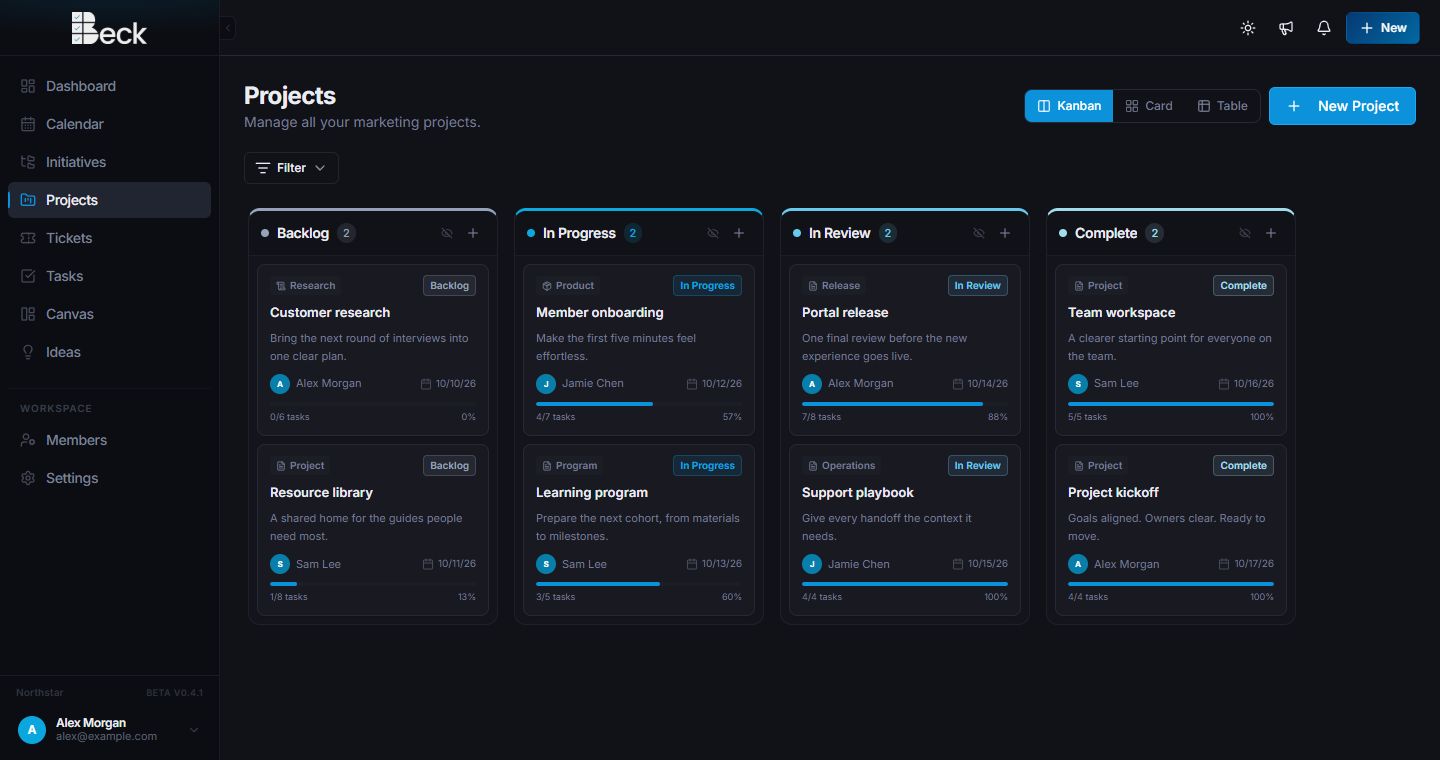
Plan work in Kanban, card, or table views. Owners, dates, status, and progress stay clear without extra setup.

One workspace for the full project workflow
Plan projects, manage tasks and calendars, collect requests, map ideas in Canvas, and review work with clients or stakeholders—all in Beck.
Projects
Plan work in Kanban, card, or table views. Owners, dates, status, and progress stay clear without extra setup.
Team calendar
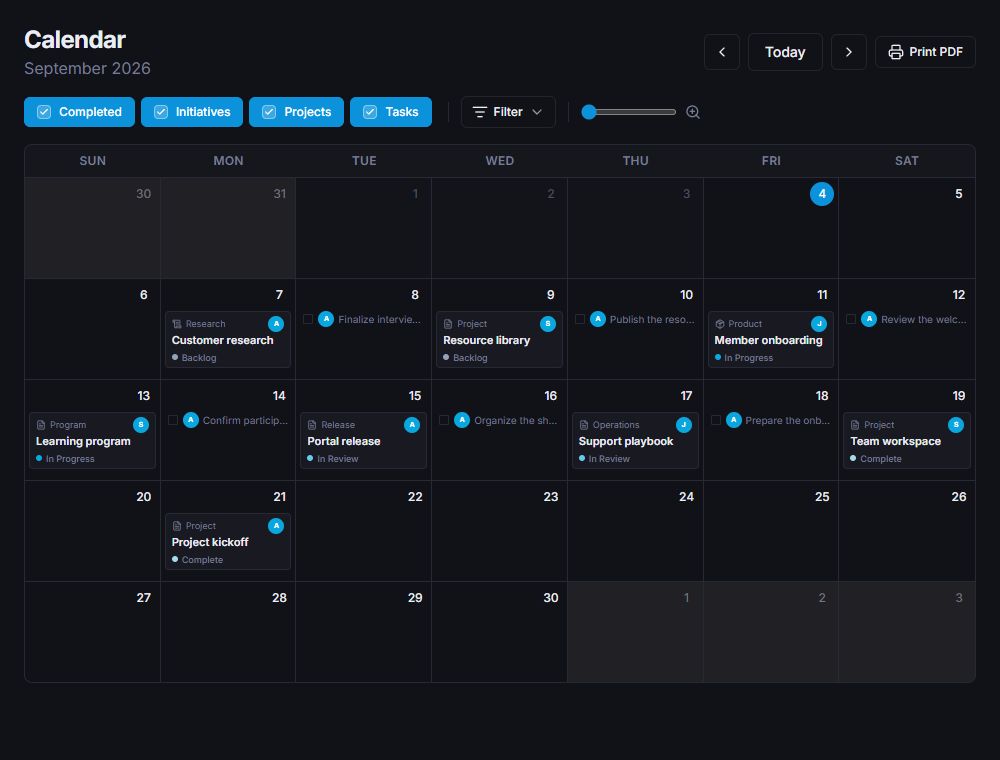
View Project Groups, projects, and tasks together. Filter the calendar and find busy dates before they become a problem.
Canvas
Build an open planning board with notes, documents, checklists, files, media, links, sketches, diagrams, wireframes, and more.
Clear setup, useful defaults, no long training call.
Everyone knows what is next and where feedback belongs.
Notes, references, and source material stay together.
Client & stakeholder dashboard
Use the same dashboard for a client, partner, leadership group, or internal department. They can see the schedule, projects, tickets, and work waiting for review.
Waiting for review3 open
CalendarSeptember
TicketsOpen
Initiatives & projectsStatus
Reviews & discussions
Review files, social posts, project text, and descriptions. Discuss changes, approve a version, or ask for updates without starting a new thread somewhere else.
One place to plan, run, and review the work.
A clearer project workflow is coming together.
Included in this review3 items
Can we make the first line more direct before this goes out?
Updated in version 3 and kept the caption within the approved length.
Looks clear now. Sending the complete review packet to stakeholders.
Review historyDecision
Tickets
Collect requests, set priority and ownership, keep files and messages attached, then connect the ticket to an existing project or create a new one.
Please update the launch page headline and attach the approved messaging before Friday.
Priority changed to High
Jamie was assigned
Message added by requester
Product teamCan this move with the existing launch work?
Jamie LeeYes. I can attach it or turn it into its own project.
Two details that matter
Flexible Project Groups
History & audit support
Core capabilities
01
02
03
04
05
06
07
08


Founding Partners can choose to add a logo or portrait as Beck grows.
Exact discount, referral, eligibility, and account terms are confirmed in writing before activation.
Start a conversation
Tell us what you manage and where work gets stuck. You’ll get a personalized walkthrough and a practical path into Beck.